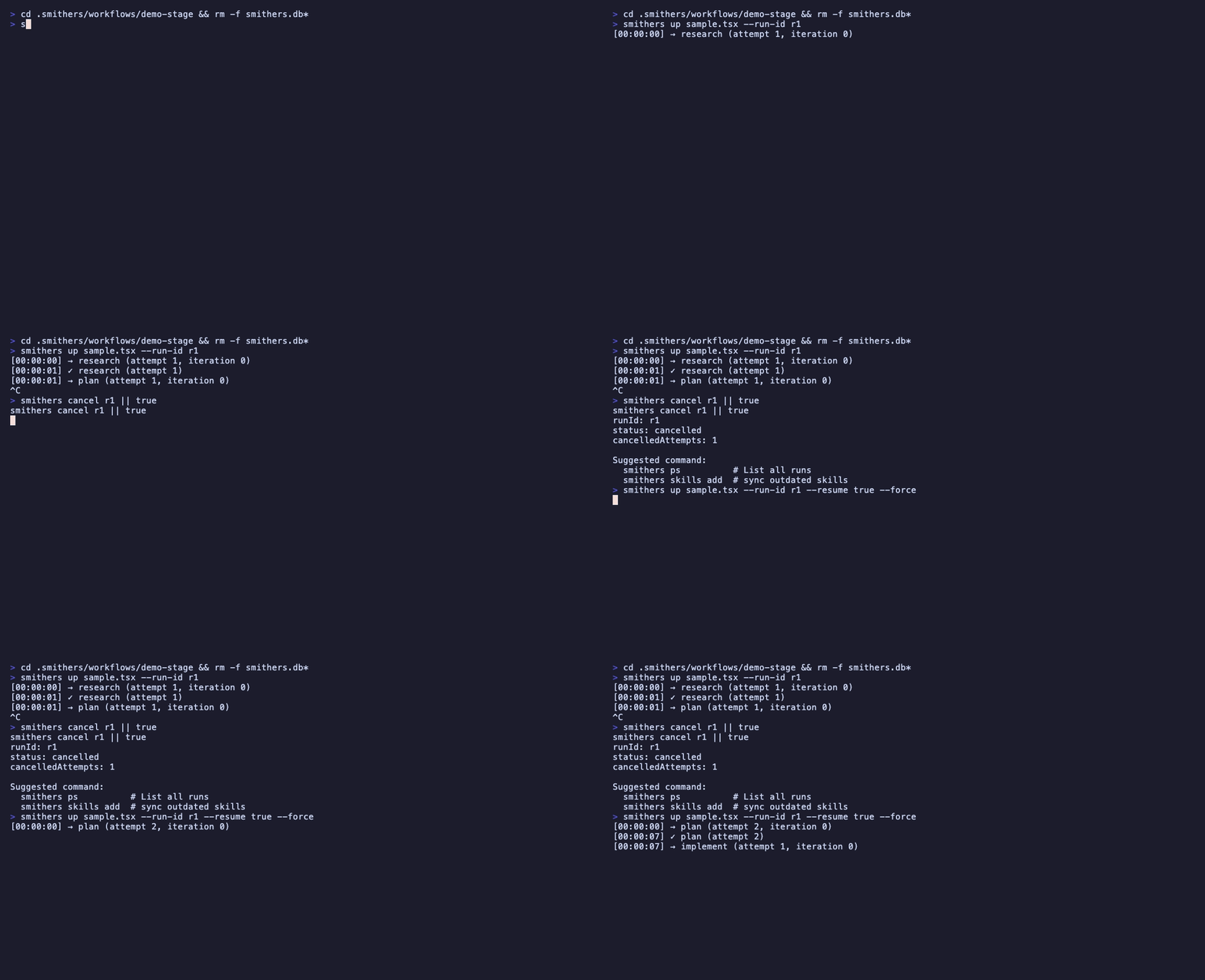
A code-review workflow built one capability at a time. Each step is a diff against the previous. Reading time: 15 minutes.
1. Install and scaffold
bunx smithers-orchestrator init
bun add smithers-orchestrator ai @ai-sdk/anthropic zod@^4
bun add -d typescript @types/bun
export ANTHROPIC_API_KEY="sk-ant-..."
init creates .smithers/ with seeded workflows, prompts, and components. The bun deps add the AI SDK, Anthropic provider, and Zod (schemas).
Zod v4 is required. Smithers introspects your output schemas via Zod v4
internals, so pin zod@^4. A Zod v3 schema fails when building an agent
command with the cryptic error undefined is not an object (evaluating 'schema._zod.def').
tsconfig.json:
{
  "compilerOptions": {
    "target": "ESNext",
    "module": "ESNext",
    "moduleResolution": "bundler",
    "jsx": "react-jsx",
    "jsxImportSource": "smithers-orchestrator",
    "strict": true,
    "noEmit": true,
    "skipLibCheck": true
  }
}
jsxImportSource is the only line specific to Smithers; it routes JSX through the workflow runtime instead of React DOM.
2. One-task workflow
/** @jsxImportSource smithers-orchestrator */
import { createSmithers, Sequence, Task } from "smithers-orchestrator";
import { z } from "zod";

const { Workflow, smithers, outputs } = createSmithers({
  input: z.object({ name: z.string() }), // types ctx.input
  greeting: z.object({ message: z.string() }),
});

export default smithers((ctx) => (
  <Workflow name="hello">
    <Sequence>
      <Task id="greet" output={outputs.greeting}>
        {{ message: `Hello, ${ctx.input.name}` }}
      </Task>
    </Sequence>
  </Workflow>
));
createSmithers registers Zod schemas; each becomes a SQLite table. outputs.greeting is the typed reference for the greeting schema; using it as the output prop gives compile-time checks (typo outputs.greting is a type error).
The input key is special: its schema types ctx.input (so ctx.input.name is a checked string, not unknown). Every other key is an output table. Omit input and ctx.input is untyped, forcing a defensive guard on each field (ctx.input?.name ?? "world"). Input fields also arrive as supplied, with no Zod defaults applied, so coalesce any field you do not require. The other schemas (greeting here) are the workflow’s outputs.
This Task has no agent, just a literal value. Run it.
bunx smithers-orchestrator up workflow.tsx --input '{"name":"world"}'
bunx smithers-orchestrator ps                  # find the run id
bunx smithers-orchestrator inspect RUN_ID    # structured state
sqlite3 smithers.db "SELECT * FROM greeting;"  # the persisted output
3. Add an agent task
Replace the literal Task with an agent Task whose output is structured.
/** @jsxImportSource smithers-orchestrator */
import { createSmithers, Sequence, Task, AnthropicAgent } from "smithers-orchestrator";
import { z } from "zod";

const { Workflow, smithers, outputs } = createSmithers({
  input: z.object({ repo: z.string() }),
  analysis: z.object({
    summary: z.string(),
    issues: z.array(z.object({
      file: z.string(),
      line: z.number(),
      severity: z.enum(["low", "medium", "high"]),
      description: z.string(),
    })),
  }),
});

const analyst = new AnthropicAgent({
  model: "claude-fable-5",
  instructions: "You are a senior code reviewer. Return structured JSON.",
});

export default smithers((ctx) => (
  <Workflow name="review">
    <Sequence>
      <Task id="analyze" output={outputs.analysis} agent={analyst}>
        {`Review the code in ${ctx.input.repo} and return analysis as JSON.`}
      </Task>
    </Sequence>
  </Workflow>
));
outputs.analysis into the prompt, parses the agent’s response, validates against Zod, and persists. Validation failure triggers a retry.
4. A second task that depends on the first
Tasks see each other’s outputs through ctx.outputMaybe(...). An incomplete upstream returns undefined; on the next render frame the upstream output appears and the downstream Task mounts.
/** @jsxImportSource smithers-orchestrator */
import { createSmithers, Sequence, Task, AnthropicAgent } from "smithers-orchestrator";
import { z } from "zod";

const AnalysisSchema = z.object({
  summary: z.string(),
  issues: z.array(z.object({
    file: z.string(),
    line: z.number(),
    severity: z.enum(["low", "medium", "high"]),
    description: z.string(),
  })),
});

const { Workflow, smithers, outputs } = createSmithers({
  input: z.object({ repo: z.string() }),
  analysis: AnalysisSchema,
  fix: z.object({
    patch: z.string(),
    filesChanged: z.array(z.string()),
  }),
});

const analyst = new AnthropicAgent({
  model: "claude-fable-5",
  instructions: "You are a senior code reviewer. Return structured JSON.",
});

const fixer = new AnthropicAgent({
  model: "claude-fable-5",
  instructions: "Write minimal, correct fixes as a unified diff.",
});

export default smithers((ctx) => {
  const analysis = ctx.outputMaybe(outputs.analysis, { nodeId: "analyze" });

  return (
    <Workflow name="review">
      <Sequence>
        <Task id="analyze" output={outputs.analysis} agent={analyst}>
          {`Review ${ctx.input.repo}`}
        </Task>
        {analysis ? (
          <Task id="fix" output={outputs.fix} agent={fixer}>
            {`Fix these issues:\n${analysis.issues.map(i =>
              `- [${i.severity}] ${i.file}:${i.line} - ${i.description}`
            ).join("\n")}`}
          </Task>
        ) : null}
      </Sequence>
    </Workflow>
  );
});
analyze is mounted. Render 2 (after analyze finishes): analysis is populated, fix mounts and runs. That is the entire reactivity story: no hooks, no subscriptions, JSX conditionals over persisted state.
Same shape works for branching, parallel groups, and loops. A ?: conditional
is the inline form; <Branch> is the declarative form when
you want explicit then/else (it takes those as props, not children):
<Parallel maxConcurrency={3}>
  <Task id="lint"  output={outputs.lint}  agent={linter}>...</Task>
  <Task id="test"  output={outputs.test}  agent={tester}>...</Task>
  <Task id="audit" output={outputs.audit} agent={auditor}>...</Task>
</Parallel>

<Branch
  if={!!analysis && analysis.issues.length > 0}
  then={<Task id="fix"  output={outputs.fix}  agent={fixer}>...</Task>}
  else={<Task id="ship" output={outputs.ship} agent={shipper}>...</Task>}
/>

<Loop until={!!review?.approved} maxIterations={5}>
  <Task id="implement" output={outputs.impl} agent={implementer}>...</Task>
  <Task id="review"    output={outputs.review} agent={reviewer}>...</Task>
</Loop>
5. An approval gate
Pause for a human. The runtime persists the pending decision and exits cleanly; the operating agent relays the question to the human, then approves or denies through the CLI; resume picks up from the gate.
import { Approval } from "smithers-orchestrator";

{analysis ? (
  <Approval
    id="confirm-fix"
    output={outputs.confirmFix}
    request={{
      title: `Apply fixes for ${analysis.issues.length} issues?`,
      summary: analysis.summary,
    }}
    onDeny="skip"
  >
    {/* children rendered after approval */}
  </Approval>
) : null}

{ctx.outputMaybe(outputs.confirmFix, { nodeId: "confirm-fix" })?.approved ? (
  <Task id="fix" output={outputs.fix} agent={fixer}>
    {`Apply patches`}
  </Task>
) : null}
bunx smithers-orchestrator ps --status waiting-approval     # find paused runs
bunx smithers-orchestrator inspect RUN_ID                  # see the request
bunx smithers-orchestrator approve RUN_ID --node confirm-fix --by alice
bunx smithers-orchestrator up workflow.tsx --run-id RUN_ID --resume true
onDeny controls behavior on rejection: "fail" aborts the run, "continue" proceeds without the approved branch, "skip" skips the gated tasks.
6. Crash, then resume
Every completed task’s output sits in SQLite. A crash, kill, or restart loses no work; the next run with --resume true skips finished tasks.
bunx smithers-orchestrator up workflow.tsx --input '{"repo":"."}' --run-id review-1
# ...analyze finishes, fix is mid-flight, you Ctrl+C

bunx smithers-orchestrator up workflow.tsx --run-id review-1 --resume true
# analyze is skipped (already in DB), fix re-runs from scratch (was incomplete)
bunx smithers-orchestrator supervise --interval 30s --stale-threshold 1m
What you skipped (and where to find it)
Read next
- How It Works: the render → execute → persist loop.
- Components: JSX surface reference.
- CLI: every command in one table.
- Recipes: patterns from production workflows.